
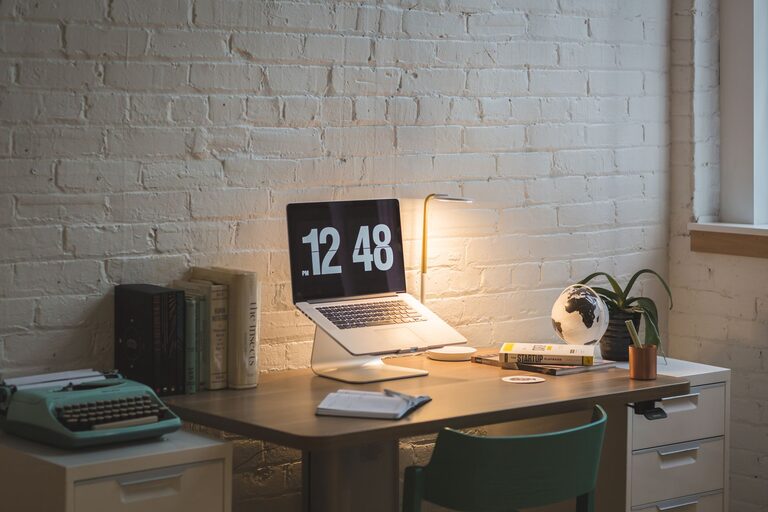
Creating a home office that is both comfortable and productive is essential for anyone working remotely or spending significant time at home on work tasks. A well-designed workspace can improve focus, reduce stress, and increase overall job satisfaction. Whether you have a dedicated room or a small corner in your living area, there are many ways to optimize your home office environment.
In this post, we’ll explore key tips to help you set up a home office that encourages productivity while maintaining comfort.
1. Choose the Right Location
Prioritize Natural Light
If possible, place your desk near a window. Natural light can elevate your mood and reduce eye strain caused by artificial lighting. Avoid direct glare on your computer screen by positioning your desk perpendicular to the window.
Minimize Distractions
Select a quiet area with minimal foot traffic and noise. This helps maintain concentration during work hours. If a quiet room isn’t available, consider noise-cancelling headphones or white noise machines.
2. Invest in Ergonomic Furniture
Comfortable Chair
A supportive chair is critical for comfort and health. Look for one with adjustable height, lumbar support, and good padding. Sitting for long periods can lead to back pain if your chair isn’t designed properly.
Proper Desk Height
The desk height should allow your arms to rest comfortably at a 90-degree angle while typing. Adjustable desks or standing desk converters offer flexibility to alternate between sitting and standing.
Monitor Placement
Place your computer monitor at eye level, about an arm’s length away. This position helps avoid neck and eye strain.
3. Organize Your Space Efficiently
Declutter Regularly
Keep only essential items on your desk. A clutter-free environment reduces distractions and promotes clearer thinking.
Storage Solutions
Use shelves, drawers, or filing cabinets to store documents and office supplies neatly. Having designated spots for everything saves time and keeps your area tidy.
Cable Management
Tidy up cables with clips, sleeves, or under-desk trays to prevent a messy look and reduce the risk of tangling or tripping.
4. Personalize Your Workspace
Add Plants
Indoor plants improve air quality and add a touch of nature, which can reduce stress and boost creativity.
Decor and Lighting
Use soft, warm lighting rather than harsh overhead lights to create a cozy atmosphere. Personal items like photos or artwork can make the space feel inviting.
5. Maintain Good Air Quality and Temperature
Ensure your workspace is well-ventilated, with fresh air circulating regularly. Comfortable room temperature supports concentration and comfort throughout the workday.
6. Incorporate Healthy Habits
Take Regular Breaks
Follow the 20-20-20 rule: every 20 minutes, look at something 20 feet away for at least 20 seconds. This reduces eye strain.
Stretch and Move
Stand up and stretch or walk around for a few minutes every hour. Movement helps prevent stiffness and improves circulation.
7. Use Technology Wisely
Reliable Internet Connection
A stable internet connection is vital for virtual meetings and online collaboration.
Efficient Tools
Select software and apps that enhance productivity, such as task managers, communication platforms, and time trackers.
Minimize Notifications
Turn off non-essential notifications to maintain focus during work sessions.
Conclusion
Designing a home office that balances comfort and productivity takes thoughtful planning but pays off in a better working experience. By choosing the right location, investing in ergonomic furniture, staying organized, and personalizing your space, you create an environment that supports your goals. Don’t forget to take care of your health with breaks, good air, and proper lighting. With these tips, your home office can become a place where you enjoy working and perform at your best.